
A strong password is one of the simplest and most effective ways to protect an online account. Yet many people still use short, predictable passwords because they are easier to remember.
The problem is that simple passwords can also be easier to guess, reuse, or expose during a data breach. A better approach is to create passwords that are both strong and manageable in everyday life.
In this guide, you will learn practical methods for creating stronger passwords, avoiding common mistakes, and organizing your login security without making the process unnecessarily complicated.
Why Strong Passwords Matter
Your password is often the first security barrier between an online account and an unauthorized user. If that password is weak, reused, or exposed elsewhere, the account may become easier to compromise.
This is especially important for accounts connected to sensitive information, including:
- Email accounts
- Online banking
- Cloud storage
- Social media
- Business dashboards
- Website administration
- Shopping accounts with saved payment details
A strong password cannot prevent every type of cyberattack, but it can significantly reduce the risk created by common password-related mistakes.
1. Make Your Password Long
Password length is an important part of security. Short passwords provide fewer possible combinations, which can make them easier to guess or crack.
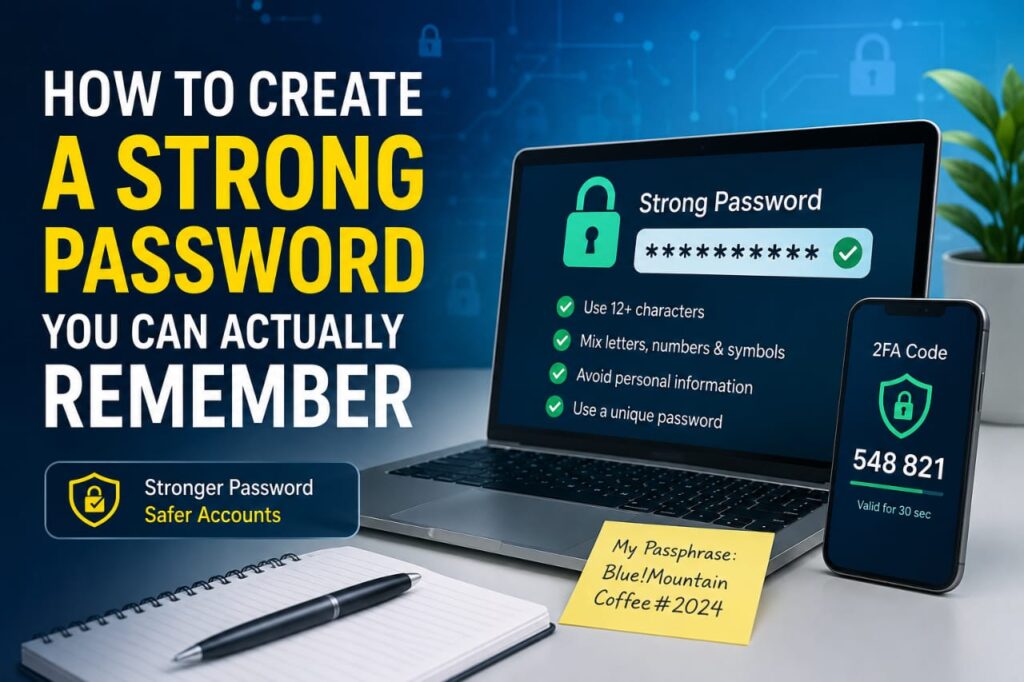
Instead of focusing only on complicated symbols, consider creating a longer password or passphrase that is easier for you to remember.
For example, a passphrase can combine several unrelated words with numbers or symbols in a way that makes sense only to you.
Avoid using obvious phrases, famous quotes, song titles, or common expressions that other people may easily predict.
2. Avoid Personal Information
Passwords should not contain information that someone could easily discover about you.
Avoid using details such as:
- Your full name
- Your birthday
- Your phone number
- Your address
- Your company name
- Your child’s name
- Your favorite sports team
- Your username
Some of this information may already be visible on social media or public profiles, making it unsuitable for password creation.
3. Never Reuse Important Passwords
Using one password across several accounts may feel convenient, but it creates a serious security weakness.
Imagine that you use the same password for an online store, your email account, and a social media profile. If the online store experiences a data breach, attackers may try the exposed password on your other accounts.
This technique is commonly known as credential stuffing.
Using a different password for each important account helps prevent one security incident from spreading across multiple services.
4. Use a Passphrase Instead of a Simple Word
A passphrase is a longer password made from multiple words or a memorable structure.
For example, instead of creating a short password based on a single word, you can combine unrelated words and add your own pattern.
The goal is not to use a specific example found online. Your passphrase should be unique to you and should not be copied from articles, books, movies, or public password lists.
A good passphrase can be easier to remember than a short collection of random characters while still offering strong protection when created properly.
5. Do Not Depend on Predictable Replacements
Replacing the letter “A” with “@” or the letter “S” with “$” does not automatically make a weak password strong.
Patterns such as:
- Password123!
- Admin@123
- Welcome2026
- Qwerty123!
may look more complicated, but similar structures are commonly used and can appear in password dictionaries and attack lists.
Length, uniqueness, and unpredictability are usually more important than simply adding one capital letter or one symbol to a common word.
6. Consider Using a Password Manager
Remembering a unique password for every account can become difficult, especially if you use dozens of online services.
A reputable password manager can help by storing your passwords securely and generating unique passwords when needed.
This can reduce the temptation to reuse the same password across multiple accounts.
If you decide to use a password manager, protect the main account carefully. Use a strong master password and enable multi-factor authentication if the service supports it.
7. Turn On Two-Factor Authentication
A strong password is important, but it should not be your only security measure.
Two-factor authentication adds an additional verification step during login. Depending on the service, this may involve an authenticator application, security key, trusted device, biometric verification, or another method.
This means that even if someone obtains your password, they may still need an additional factor before accessing the account.
Two-factor authentication is especially valuable for email, financial services, cloud accounts, website administration, and business tools.
8. Be Careful with Security Questions
Some websites use security questions as part of account recovery.
Questions such as “What is your mother’s maiden name?” or “What city were you born in?” may involve information that can sometimes be discovered through public records or social media.
If a service allows flexibility, choose recovery information that is difficult for someone else to predict.
Also make sure your recovery email address and phone number are current and under your control.
9. Change a Password When There Is a Real Security Risk
You should change your password quickly when you have a reason to believe it may no longer be secure.
Examples include:
- You receive a legitimate data breach notification
- You accidentally shared your password
- You signed in on an untrusted device
- You notice unfamiliar account activity
- Your password appears in a known breach
- You reused the password on another compromised account
When changing a compromised password, avoid making a tiny modification such as changing one number at the end. Create a completely new password instead.
10. Protect Your Email Password More Carefully
Your primary email account deserves extra attention because it may be connected to password recovery for many other online services.
If someone takes control of your email, they may attempt to reset passwords for other accounts linked to it.
For your main email account:
- Use a unique password
- Enable two-factor authentication
- Review active sessions
- Keep recovery information updated
- Remove unfamiliar connected applications
You should never reuse your primary email password on another website.
11. Avoid Saving Passwords on Shared Devices
Saving login information can be convenient on a personal device, but it can create problems on a shared or public computer.
If several people use the same device, avoid allowing the browser to permanently store passwords for sensitive accounts.
Always sign out after using important services on a device that is not exclusively yours.
For highly sensitive accounts, avoid logging in from public computers whenever possible.
12. Watch Out for Fake Login Pages
A strong password offers limited protection if you accidentally type it into a fake website.
Phishing websites may imitate familiar services and attempt to collect your username, password, or verification code.
Before signing in, check the website address carefully. If a message tells you to urgently verify an account, consider opening the official application or manually visiting the official website instead of clicking the provided link.
Be particularly cautious with unexpected messages related to:
- Account suspension
- Payment failure
- Copyright complaints
- Security warnings
- Unusual login activity
- Prize notifications
13. Do Not Share One-Time Verification Codes
One-time passwords and verification codes are designed to confirm that you are the person attempting to access an account.
If someone contacts you and asks you to send them a code that just arrived on your phone or email, be suspicious.
An attacker may already have your username and password and may be trying to complete the final verification step.
Never share security codes unless you fully understand why the code was generated and where it is being used.
14. Review Your Important Accounts Regularly
Good password security is not something you set up once and completely forget.
Every few months, consider reviewing your most important accounts.
Check:
- Whether two-factor authentication is enabled
- Whether recovery details are correct
- Whether unknown devices are logged in
- Whether old third-party applications still have access
- Whether passwords are being reused
A short security review can help identify problems before they become serious.
Should You Write Passwords on Paper?
For some users, securely storing a recovery password or backup information offline may be safer than using the same weak password everywhere.
However, physical records should be stored in a private and secure location where unauthorized people cannot easily access them.
For people managing many accounts, a reputable password manager is usually more practical than keeping a large collection of written passwords.
What Makes a Password Weak?
A password may be considered weak when it is easy to predict, widely used, too short, or based on personal information.
Common warning signs include:
- Using a common word
- Using simple number sequences
- Using keyboard patterns
- Adding only your birth year
- Using the same password everywhere
- Using a company or website name
- Using a password previously exposed in a breach
What Makes a Password Strong?
A strong password should ideally be long, unique, and difficult for another person to predict.
It should not depend on public personal information or common patterns.
For important accounts, combine a strong unique password with two-factor authentication and secure recovery options.
Frequently Asked Questions
How long should a strong password be?
Longer passwords generally provide more possible combinations than short passwords. Instead of focusing on the shortest length accepted by a website, consider using a longer unique password or passphrase that remains practical for you to manage.
Can I use the same password on two websites?
It is safer to use a unique password for each important account. Reusing passwords allows a compromise on one service to potentially affect another.
Are password managers useful?
Yes. A reputable password manager can make it easier to create and store unique passwords for many accounts. The password manager itself should be protected with a strong master password and additional authentication when available.
Should I change all my passwords every month?
Constant password changes are not a substitute for strong, unique credentials. The priority should be changing passwords when there is evidence of compromise, when a password has been shared, or when the same password has been reused elsewhere.
Is two-factor authentication enough without a strong password?
No. Two-factor authentication should complement a strong password, not replace it. Using both provides better protection than relying on either measure alone.
What should I do if someone knows my password?
Change the password immediately, sign out other active sessions if possible, review account recovery settings, and enable two-factor authentication. If the same password was used elsewhere, change it on those accounts as well.
Final Thoughts
Creating strong passwords does not need to become a frustrating daily task. The most effective approach is to use long, unique passwords, avoid predictable information, and use a secure password manager when you have many accounts to manage.
Combine strong passwords with two-factor authentication, secure recovery settings, and careful browsing habits for stronger overall protection.
Taking a few minutes to improve your password habits today can help protect your personal information, online identity, financial accounts, and important digital services for years to come.