
A website can be affected by malware, injected scripts, malicious redirects, compromised plugins, stolen administrator credentials, or unsafe server configurations. These problems can damage your reputation, affect visitors, disrupt business operations, and create serious security concerns.
Website malware does not always appear as an obvious virus. Sometimes the first sign is a strange redirect, unexpected advertisement, unknown administrator account, suspicious file, or sudden change in website performance.
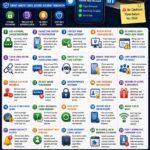
The good news is that many common website security problems can be reduced by following a consistent maintenance routine. This guide explains practical steps website owners can use to protect their sites from malware and malicious code.
1. Keep Your Website Software Updated
Outdated software is one of the most common sources of website security problems.
Regularly update:
- Your content management system
- Plugins
- Themes
- Server software
- PHP or other runtime versions
- Security tools
Updates may include important security fixes for vulnerabilities that attackers could otherwise exploit.
Before applying major changes to an important production website, create a current backup.
2. Remove Software You No Longer Use
Inactive plugins, themes, modules, and old scripts can remain a security concern if they are still installed.
If you no longer need a component, remove it completely instead of simply leaving it disabled for months.
A smaller website installation is generally easier to maintain and monitor.
3. Use Plugins and Themes from Trusted Sources
Downloading modified or unofficial themes and plugins can introduce hidden code into your website.
Before installing software, consider:
- Where it comes from
- Whether it is actively maintained
- Whether updates are available
- Whether the developer is reputable
- Whether you actually need the feature
Avoid installing premium software from suspicious websites simply because it is offered for free.
4. Protect Administrator Accounts
Administrator access usually provides extensive control over a website.
Use a long and unique password that is not reused for email, hosting, social media, or other services.
Whenever possible, enable two-factor authentication for:
- Website administrators
- Hosting accounts
- Domain accounts
- Cloud dashboards
- Server management tools
5. Limit the Number of Administrators
Not every user needs full control of a website.
Use the lowest level of permission required for each person’s responsibilities.
For example, a writer may only need permission to create and edit articles. That person may not need access to plugins, themes, users, or server settings.
Limiting permissions can reduce the impact of a compromised account.
6. Remove Old User Accounts
Former employees, contractors, developers, and contributors should not keep website access after they no longer need it.
Review user accounts regularly and remove or downgrade unnecessary access.
Old accounts can become forgotten security risks, especially if they use weak or reused passwords.
7. Protect Your Hosting Account
Website security does not end at the content management system.
Your hosting account may provide access to:
- Website files
- Databases
- Email accounts
- Backups
- DNS settings
- Server controls
Use a unique password and multi-factor authentication for your hosting account whenever the provider supports it.
8. Protect Your Domain Account
Your domain name is another important part of your website infrastructure.
If someone gains access to your domain account, they may attempt to change DNS records or redirect visitors elsewhere.
Protect your registrar account with:
- A strong unique password
- Two-factor authentication
- Updated recovery information
- Domain lock features when appropriate
9. Create Regular Backups
Reliable backups are one of the most important parts of website security.
A backup can help you recover after:
- Malware infection
- Accidental deletion
- Failed updates
- Database corruption
- Server problems
- Unauthorized modifications
Your backup should normally include both website files and databases.
10. Keep Backups Separate from the Live Website
Storing every backup on the same server as the live website creates additional risk.
If the server is compromised or damaged, the live site and backups may both be affected.
Consider keeping at least one additional backup copy in a separate secure location.
11. Test Your Backups
A backup is useful only if it can actually be restored.
Periodically verify that:
- The backup is complete
- The database is included
- Important uploads are included
- You know how to restore it
This can prevent unpleasant surprises during an emergency.
12. Monitor Website Files for Unexpected Changes
Malicious code may appear as new files or unexpected changes to existing files.
Watch for:
- Unknown PHP files
- Unexpected JavaScript
- Recently modified core files
- Unusual file names
- Files appearing in upload folders where they do not belong
File-integrity monitoring tools can help detect changes on larger or frequently updated websites.
13. Watch for Malicious Redirects
One common sign of website compromise is an unexpected redirect.
Visitors may be sent to:
- Spam websites
- Fake download pages
- Fraudulent shopping sites
- Malicious advertisements
- Other unrelated domains
Some redirects may appear only on mobile devices or only for certain visitors, making them difficult for the website owner to notice.
Test your website from different devices and browsers if visitors report unusual behavior.
14. Review Administrator Accounts Regularly
An unexpected administrator account can be an important warning sign.
Review your user list periodically and confirm that every high-privilege account belongs to someone you recognize.
If you find an unknown administrator, investigate immediately instead of simply ignoring it.
15. Keep Your Server Environment Updated
Your website may depend on web servers, databases, runtimes, and operating system packages.
Depending on your hosting setup, this may include:
- Linux packages
- PHP
- Node.js
- Database software
- Web server software
- Control panel software
Managed hosting providers may handle some of these updates for you, while self-managed servers require more active maintenance.
16. Use HTTPS
HTTPS encrypts communication between visitors and your website.
Use a valid SSL or TLS certificate and ensure that the website consistently loads through the secure HTTPS version.
HTTPS does not prevent all malware infections, but it is an important part of modern website security.
17. Protect File Upload Features
Websites that allow users to upload files require careful security controls.
Upload forms should validate file types, sizes, and storage locations appropriately.
A poorly configured upload feature may allow dangerous files to reach places where they should never be stored or executed.
If your website does not need public uploads, avoid adding unnecessary upload functionality.
18. Secure Contact and Registration Forms
Forms can attract automated spam and abusive traffic.
Depending on your website, appropriate protections may include:
- Rate limiting
- Spam filtering
- Validation
- Bot protection
- Server-side input checks
Never trust user input simply because it came from your own website form.
19. Be Careful with Custom Code
Custom PHP, JavaScript, plugins, APIs, and integrations can introduce security problems if they are poorly designed.
Before deploying important custom code:
- Test it carefully
- Validate user input
- Protect credentials
- Avoid exposing sensitive information
- Use appropriate permission checks
For high-value systems, professional code review may be worthwhile.
20. Do Not Store Secrets in Public Files
API keys, database passwords, private tokens, and other credentials should not be exposed in publicly accessible files or repositories.
Review configuration files carefully and make sure sensitive information is stored in an appropriate protected location.
If a credential is accidentally exposed, changing or revoking it may be necessary.
21. Review Database Security
Your website database may contain user accounts, settings, content, and other important information.
Good database security includes:
- Strong credentials
- Limited remote access
- Appropriate user permissions
- Regular backups
- Updated database software
Database accounts should receive only the permissions required for their role.
22. Use Security Monitoring
Security monitoring can help you notice suspicious activity sooner.
Depending on your website, useful monitoring may include:
- Failed login activity
- File changes
- Unexpected administrator creation
- Malware scanning
- Traffic anomalies
- Server errors
No security tool can guarantee complete protection, but monitoring can provide valuable early warning.
23. Review Server and Website Logs
Logs can provide useful information about what happened before and during a security incident.
Depending on your hosting environment, logs may show:
- Requests to suspicious files
- Repeated login attempts
- Server errors
- Unexpected IP activity
- Application failures
Keeping appropriate logs can make troubleshooting and incident investigation much easier.
24. Avoid Ignoring Security Warnings
If your hosting provider, browser, search engine, or security tool reports a possible problem, investigate it promptly.
A warning does not always mean the website is infected, but it should not be dismissed without checking.
Early investigation can prevent a small problem from becoming a larger one.
25. Use a Staging Environment for Major Changes
Major plugin updates, custom code changes, theme modifications, and server upgrades can sometimes create unexpected problems.
A staging environment allows you to test significant changes before applying them to your live website.
This can improve both security and reliability.
Common Signs That a Website May Be Infected
Possible warning signs include:
- Unexpected redirects
- Unknown advertisements
- Strange files
- Unfamiliar administrator accounts
- Sudden performance problems
- Pages you did not create
- Search results showing spam content
- Visitors receiving browser warnings
- Unexpected changes to website code
One symptom does not always prove malware is present, but suspicious behavior should be investigated.
What Should You Do If You Find Malware?
If you believe your website is infected, avoid making random changes without understanding the situation.
Start by protecting the accounts that control the website.
Depending on the incident, you may need to:
- Change administrator passwords
- Change hosting credentials
- Review administrator accounts
- Remove malicious files
- Check the database
- Review logs
- Update vulnerable software
- Restore a known clean backup when appropriate
Do Not Restore an Old Backup Without Checking the Cause
Restoring a clean backup may remove visible malware, but it does not automatically fix the vulnerability that allowed the compromise.
If the underlying problem remains, the website may be infected again.
Before returning the site to normal operation, identify and address likely causes such as:
- Outdated plugins
- Stolen passwords
- Unknown administrator accounts
- Unsafe custom code
- Compromised hosting access
Check Search Engine Results After a Security Incident
Some website compromises create spam pages or search-engine content that the owner never intended to publish.
After cleaning the website, review indexed pages and search results for unusual content.
If a search engine has issued a security warning, follow its official review or recovery process after the problem has been resolved.
Common Website Malware Security Mistakes
Many website compromises are connected to basic maintenance problems.
Common mistakes include:
- Ignoring updates
- Using weak passwords
- Installing software from unknown sources
- Keeping abandoned plugins
- Giving too many users administrator access
- Keeping no reliable backups
- Ignoring hosting security
- Leaving old accounts active
- Failing to monitor suspicious changes
A Simple Website Malware Protection Checklist
Use this checklist when reviewing your website:
- Update website software
- Remove unused plugins and themes
- Use trusted software sources
- Secure administrator accounts
- Enable two-factor authentication
- Review administrator users
- Protect hosting and domain accounts
- Create regular backups
- Store backups separately
- Monitor files and login activity
- Use HTTPS
- Review suspicious redirects
- Check server and website logs
- Test major updates before deployment
Frequently Asked Questions
What is website malware?
Website malware can include malicious scripts, files, redirects, backdoors, injected code, or other unauthorized changes designed to misuse a website or its visitors.
Can a website be infected even if it looks normal?
Yes. Some malicious code may remain hidden, target only certain visitors, or operate in the background without obvious visual changes.
Can a security plugin completely protect my website?
No single plugin can guarantee complete protection. Security is stronger when updates, passwords, backups, monitoring, hosting protection, and responsible administration work together.
Should I delete an infected website immediately?
Not necessarily. A careful investigation, cleanup, credential reset, software update, and clean backup restoration may allow the website to recover. Serious incidents may require professional security assistance.
How often should I scan my website for malware?
The appropriate frequency depends on the website’s size, traffic, update schedule, and risk level. Automated monitoring combined with regular maintenance is generally more useful than relying only on occasional manual checks.
What is the easiest way to improve website security?
Start by updating everything, removing unused software, securing administrator and hosting accounts, enabling two-factor authentication, and confirming that reliable backups are working.
Final Thoughts
Protecting a website from malware requires ongoing maintenance rather than a one-time security setup.
Keep software updated, use trusted plugins and themes, protect administrator accounts, maintain reliable backups, monitor unusual changes, and secure the hosting and domain accounts connected to your website.
A consistent security routine can significantly reduce common risks and make it easier to recover quickly if something unexpected happens.